Smart Label Capture
Designing for a confident capture

My role:
UX Research
Visual Design
UX Design
Duration:
12 weeks
Team members:
Product Manager
Product Engineer
Company:
Scandit
Smart Label Capture (SLC) helps users turn physical labels into digital data by scanning them with a camera, using computer vision
and machine learning.
It is used in high-throughput workflows such as logistics, retail, and manufacturing, where speed and accuracy are critical. Users rely on it to capture information quickly while staying in control of data correctness.
Problem
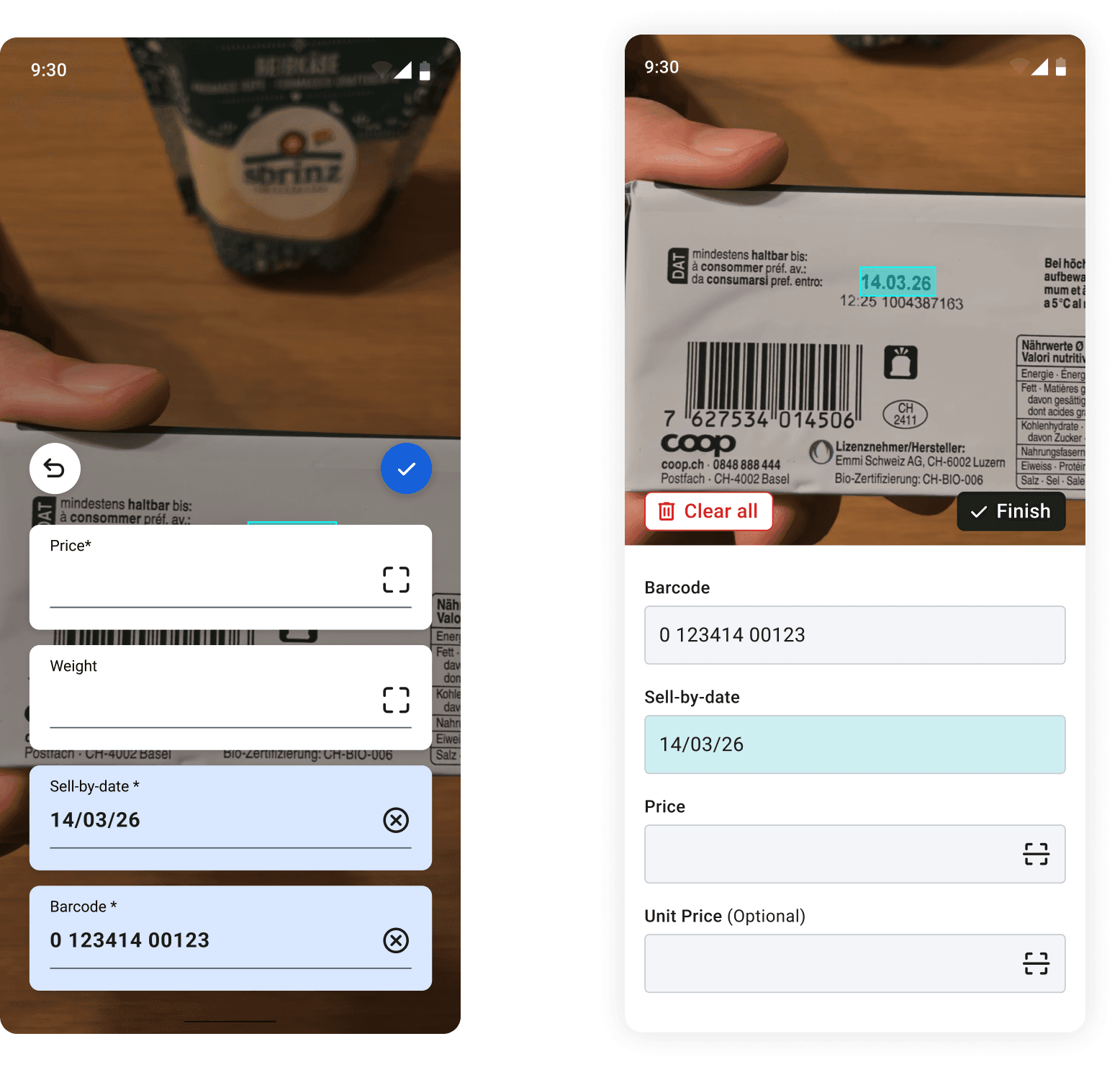
The first version on Smart Label capture helped speed up data entry, but when the system made partial or subtle capture mistakes, users did not reliably notice them. Validation was also visually difficult because captured fields stacked on top of the scan preview, which prevented users from comparing what was captured with what was actually on the label.
Controls were not intuitive
Users found the checkmark or brackets icons confusing, leading first-time users to input manually or incorrectly press the checkmark action
The dynamic reordering of fields caused confusion
Completed fields would move to the bottom of the list, forcing users to spend extra time understanding the system’s feedback.
Experienced users wanted a faster way to capture multiple fields at once
As they were familiar with Scandit's multi-capture capabilities, tapping and confirming each individual field felt repetitive
and slow.
Foundational research
Previous design

Happy path
🙂
🙂
How might we reduce validation friction, while maintaining capture accuracy and speed at scale
Exploration
stage
Idea 1
Idea 2
Based on these previous insights , I explored multiple directions to improve error detection, validation, and speed. Each direction was iterated and validated through internal user tests to assess clarity, confidence, and impact on workflow efficiency.
Validation through internal testing
Internal user tests helped identify which approaches improved speed and confidence, and which introduced new issues such as increased cognitive load or unclear system feedback.
Technical consideration
Opening the scanner to capture any field by default, instead of having users explicitly define the target field, could increase the likelihood of incorrect captures. This highlighted the need to balance faster interactions with technical constraints around model accuracy
and reliability.
Solution
Clearer actions and capture controls
Capture actions and controls were simplified and made more explicit, reducing ambiguity around what would be scanned and when. Feedback and confirmation states were designed to be more noticeable and easier to interpret, helping users understand system responses without slowing down.
A layout designed for easy comparison
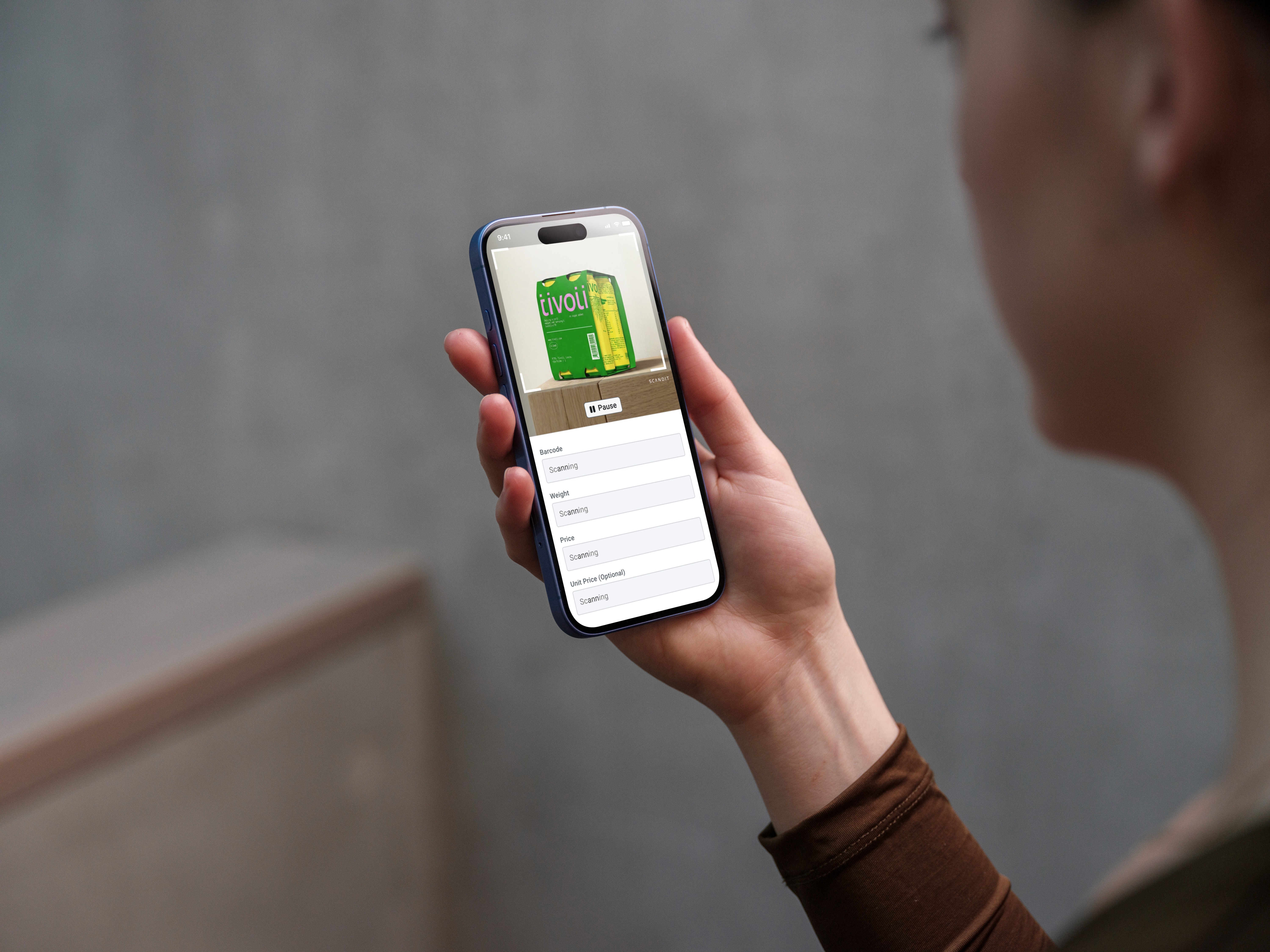
The layout was restructured to clearly separate the scan preview from the captured fields, ensuring neither obstructed the other. This allowed users to quickly compare the physical label with the captured values and spot mismatches at a glance, even when handling many fields.
Faster multi-field capture with controlled intent
Multi-field capture was enhanced to better match user expectations of speed, reducing repetitive interactions when scanning nearby fields. At the same time, capture intent remained explicit to avoid increasing incorrect scans, balancing efficiency with technical reliability.
Impact
1.6x
Faster task completion rates
90%
Technical mistakes or imprecisions were corrected by users with the new redesign, on user tests